

MIDCode, ManufName, and similar) for EU PID. Those remain for US customs and coexist with EU PID keys.
For what each identifier is, see The three identifiers on the overview page.
What you need to do
-
standardcode: for each variant that can appear in the cart, populate the native UPC/EAN field in BigCommerce (variant Barcodes & Identifiers).If a variant has no UPC/EAN, create a metafield named exactly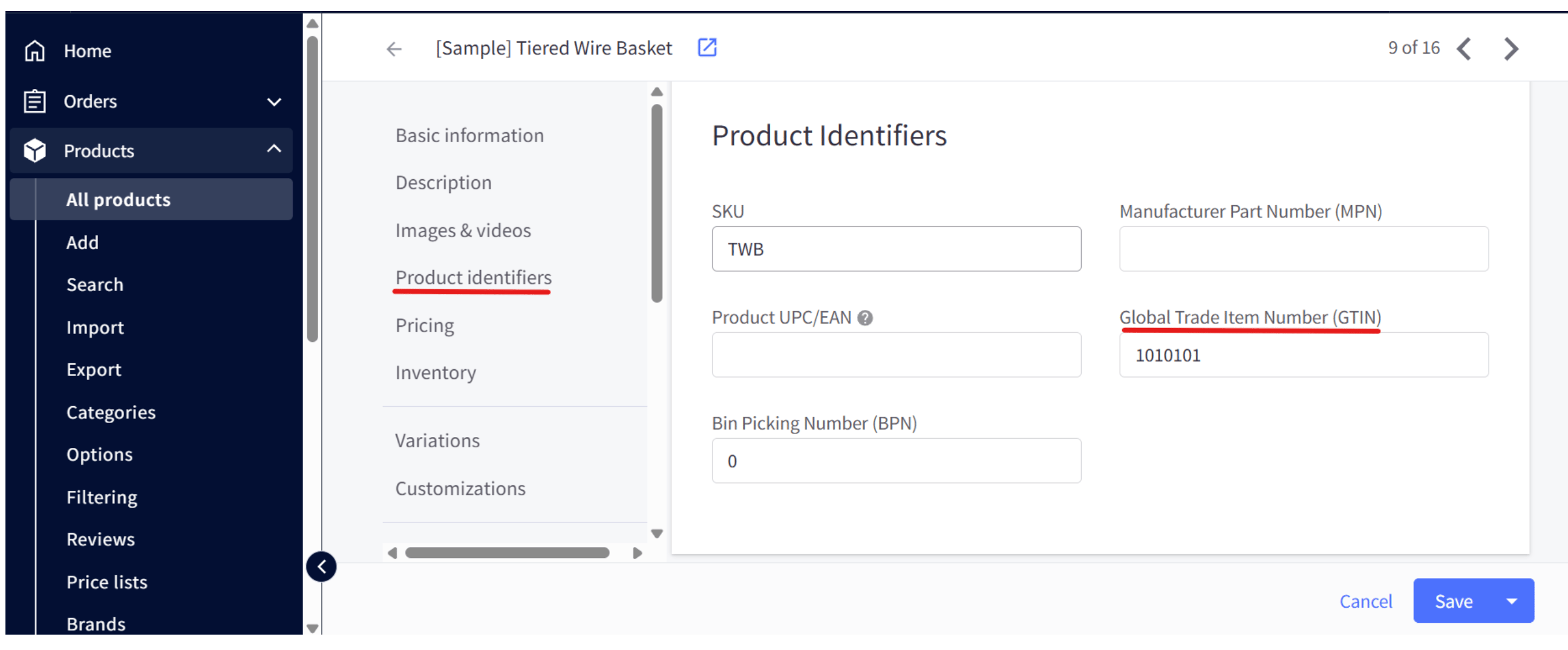
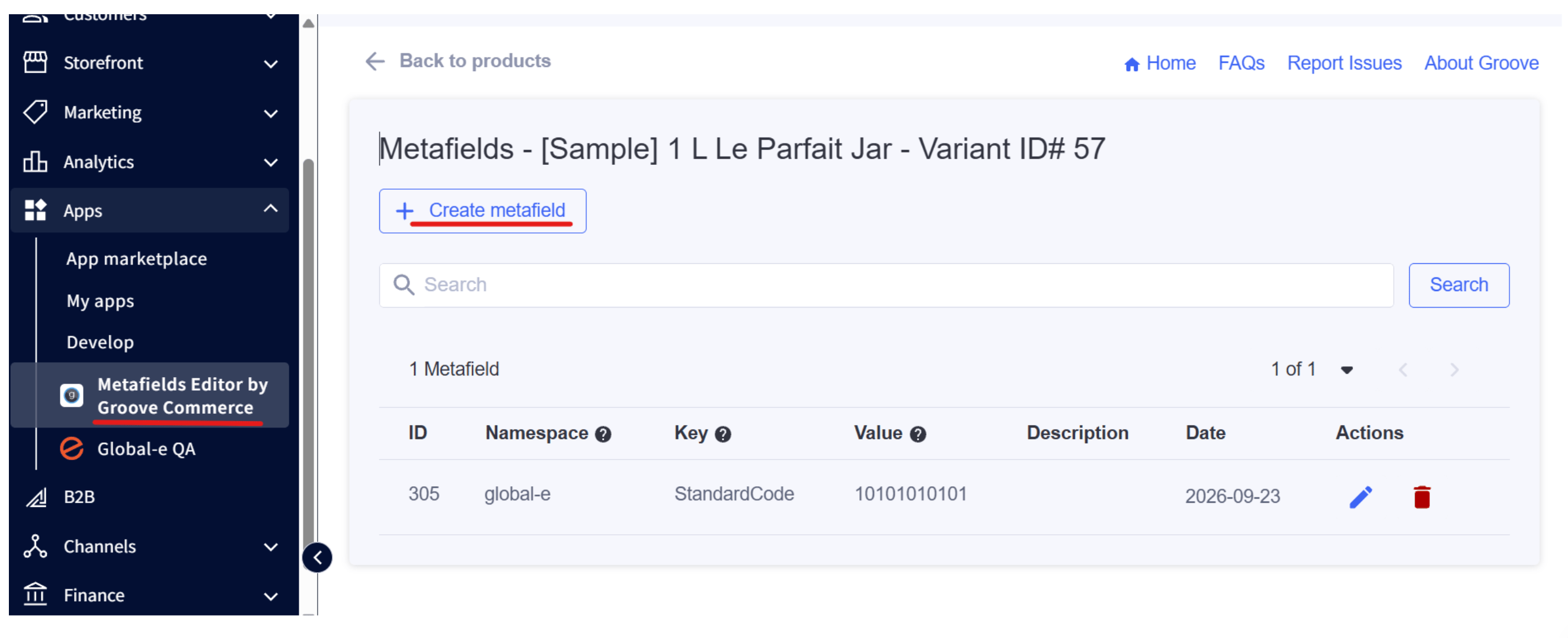
standardcode(orStandardCode) on the variant. Product-level sources are used only as a fallback when the variant has no UPC/EAN and no variant metafield: product GTIN, then product UPC/EAN, then a product metafieldstandardcode. Product MetafieldVariant Metafield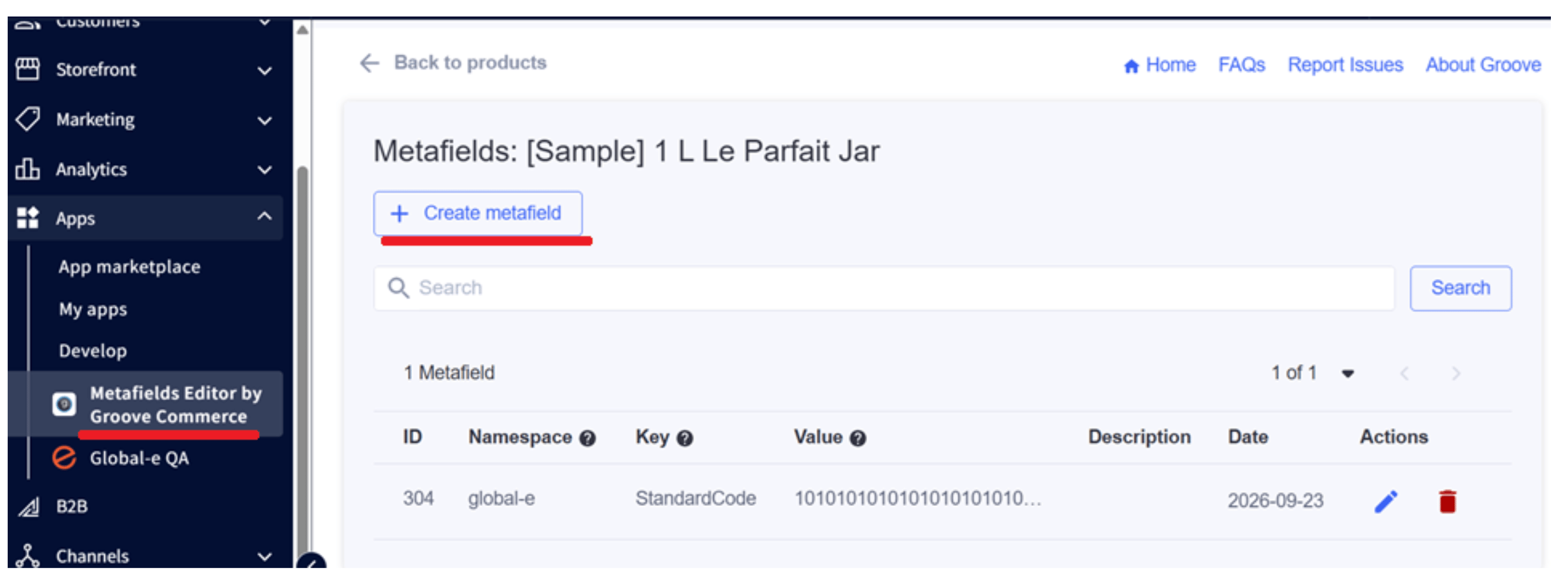
-
mididentifier: when available, populate the native MPN (Manufacturer Part Number) on the variant. If a variant has no MPN, create a metafield named exactlymididentifier(orMidIdentifier) on the variant. Product-level MPN or a product metafieldmididentifieris used only as a fallback. - Confirm with your Global-e CSM that EU PID is enabled for your account and that you are on a BigCommerce integration release that supports EU PID.
- Place a test order and confirm both keys appear when values exist and are omitted when blank.
How Global-e reads the values
For each cart line, the integration uses the first non-empty value in this order:standardcode
- Variant native UPC/EAN
- Variant metafield
standardcode/StandardCode(case-insensitive) - Product native GTIN
- Product native UPC/EAN
- Product metafield
standardcode/StandardCode(case-insensitive) - Otherwise omit
mididentifier
- Variant native MPN
- Variant metafield
mididentifier/MidIdentifier(case-insensitive) - Product native MPN
- Product metafield
mididentifier/MidIdentifier(case-insensitive) - Otherwise omit
Variant-level GTIN is not used for
standardcode (BigCommerce Admin exposes GTIN at product level; use variant UPC/EAN instead).Key points
Exact lowercase on SendCart. Outbound MetaData keys are exactlystandardcode and mididentifier. Metafield keys may vary in casing (StandardCode / MidIdentifier).
UPC/EAN is the preferred source for standardcode when populated on the variant. You do not need a standardcode metafield when UPC/EAN is set.
MPN is the preferred source for mididentifier when populated on the variant. You do not need a mididentifier metafield when MPN is set.
One pair of values per variant. A value on the parent product alone is not used when the variant has its own UPC/EAN, MPN, or variant metafield.
Omit, don’t fake. Leave the key out when you have no value. Never send an empty string, NA, 0 or -.
When values are read: at checkout, when the customer proceeds to Global-e. Updated catalog values apply on that variant’s next checkout.
Keep separate from US MID (MIDCode, ManufName, namespace GE_MID, and similar) and from other product fields such as MerchantHSCode. EU PID and US MID MetaData keys coexist; they are not interchangeable.
Quick check before go-live
Frequently asked questions
Can we use the BigCommerce UPC/EAN field for standardcode?
Can we use the BigCommerce UPC/EAN field for standardcode?
Yes. Variant UPC/EAN is the primary source. Product GTIN / product UPC/EAN are fallbacks when the variant has no UPC/EAN and no variant metafield.
Can we reuse US MID metafields (GE_MID / MIDCode) for mididentifier?
Can we reuse US MID metafields (GE_MID / MIDCode) for mididentifier?
No. Those fields continue to feed US MID MetaData. For EU
mididentifier, use native MPN (preferred) or a metafield keyed MidIdentifier.Only a manufacturer code, no barcode?
Only a manufacturer code, no barcode?
Send
mididentifier only; omit standardcode.Who configures Global-e field mapping?
Who configures Global-e field mapping?
No per-merchant field mapping is required. Your CSM enables EU PID on the Global-e side.